

Beschreibung
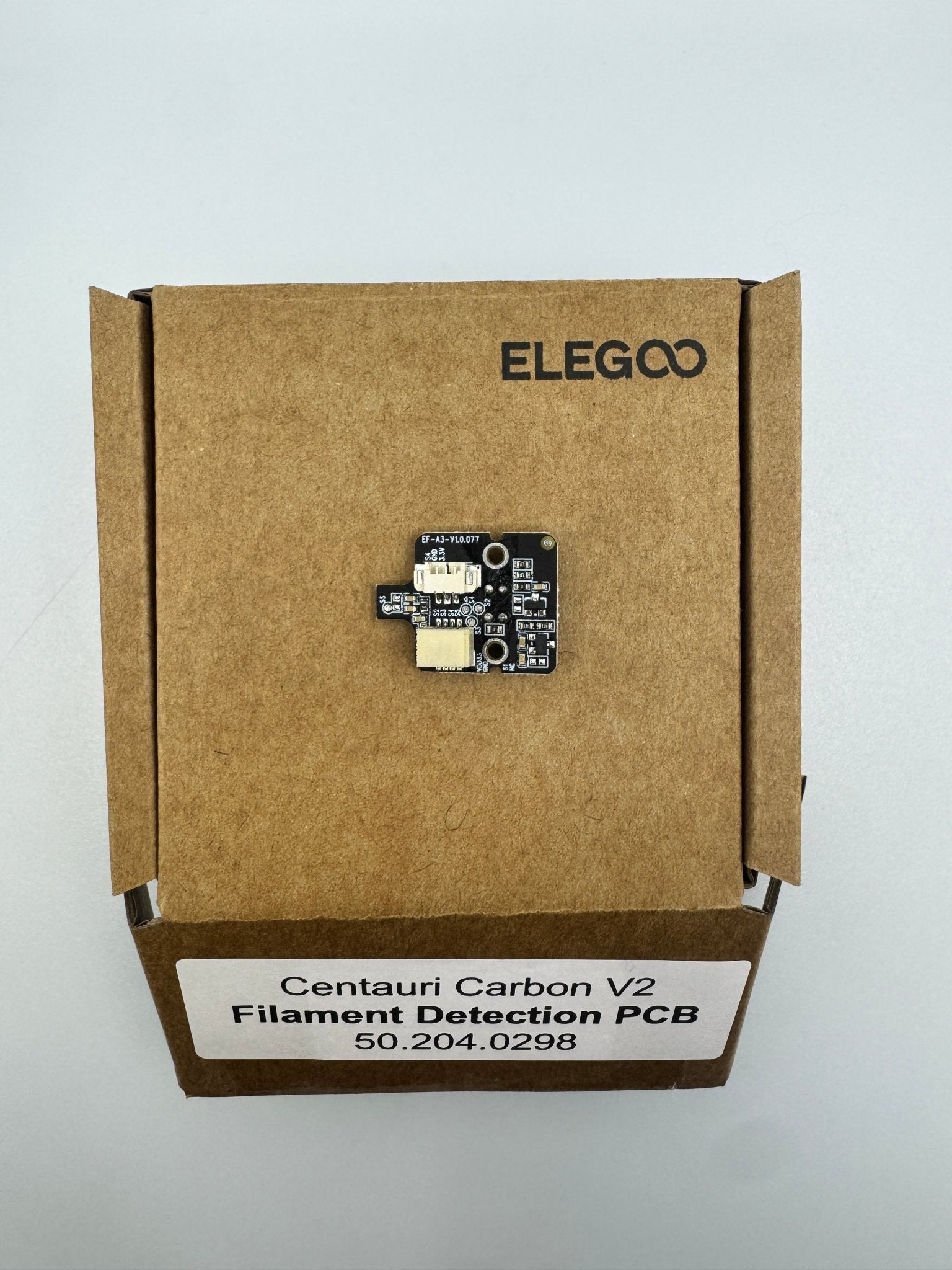
Centauri Carbon 2 Filament Detection PCB 50.204.0298
This is a compact sensor board located at the entry point of the filament path.
Its primary job is to pause your print automatically if the filament runs out or snaps, preventing "ghost printing" where the machine continues to move without extruding material.
Features & Indicators
Optical or Mechanical Switch: Depending on the specific revision, it uses either an optical beam or a microswitch to detect the presence of the filament.
LED Status Light: Most versions include a small onboard LED (usually blue or green) that stays lit when filament is detected and turns off (or changes color) when the path is empty.
3-Pin Connector: It typically uses a standard 3-pin JST connector to send the high/low signal back to the mainboard or the extruder communication PCB.
Common Troubleshooting
If your printer is falsely claiming you are out of filament, check these three things:
Dust Accumulation: If it's an optical sensor, small shavings of filament (especially from TPU or abrasive filaments) can block the sensor. A quick blast of compressed air usually fixes it.
Cable Seating: Ensure the small 3-pin cable hasn't vibrated loose.
Mechanical Wear: If it's a switch-based version, the internal lever can occasionally get stuck in the "depressed" position.