
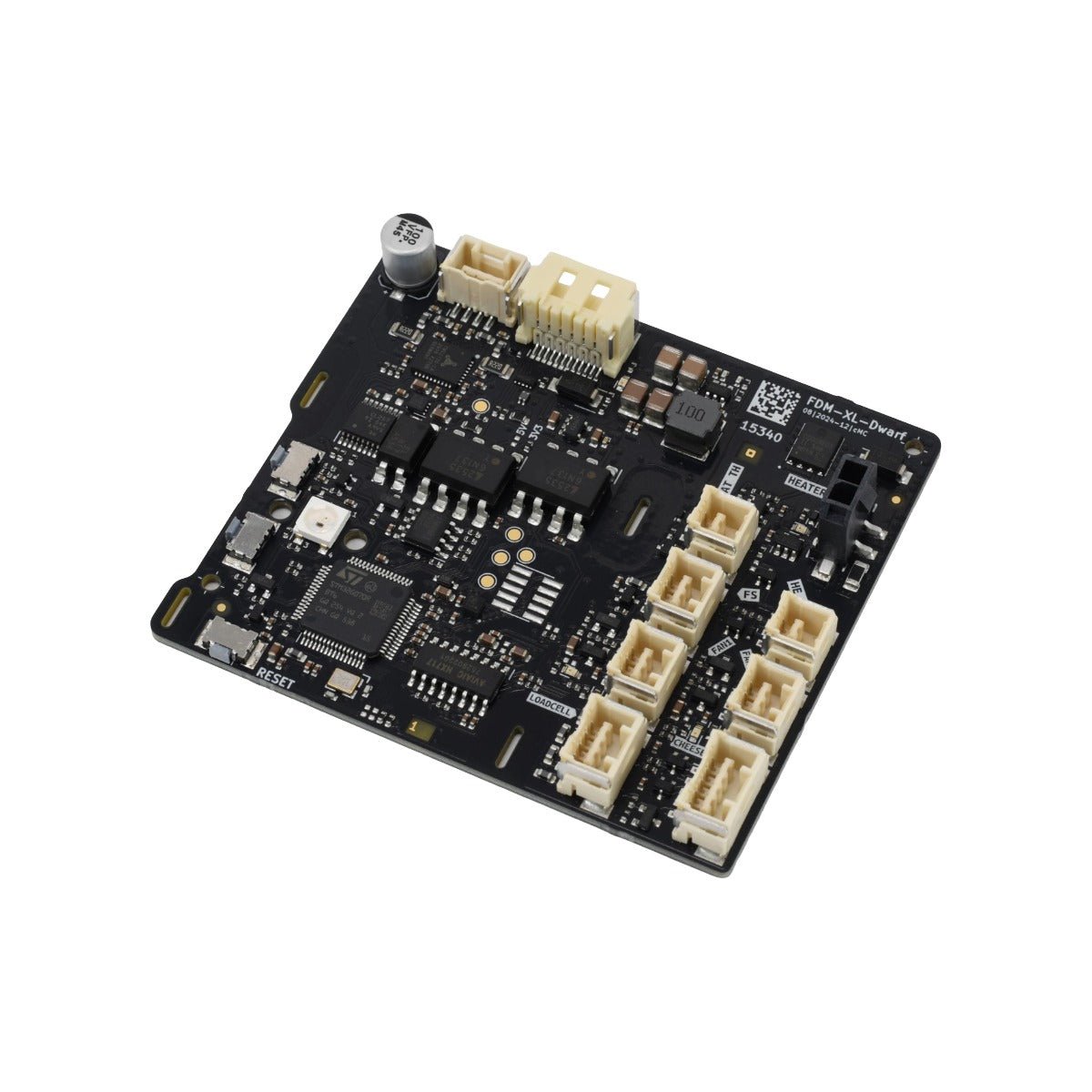

Description
Keep your Original Prusa XL or XL+ operating reliably with the Genuine Prusa Dwarf Board, an original replacement electronic control board designed specifically for the XL's Nextruder toolheads. This compact printed circuit board provides the electronic interface for each toolhead, supporting communication and control of essential extrusion components.
Whether you're troubleshooting a faulty toolhead, replacing a damaged circuit board, or servicing your Prusa XL, the Dwarf Board provides a factory-compatible replacement to help restore proper operation.
Key Features
-
Genuine Prusa Replacement Part: Original electronic control board manufactured for the Prusa XL Nextruder toolhead.
-
XL and XL+ Compatibility: Version 08 supports both the Original Prusa XL and the updated XL+.
-
Dedicated Toolhead Electronics: Provides the electronic interface for the Nextruder's essential components and communication with the printer's control system.
-
Supports Multi-Tool Configurations: Designed for both single-tool and multi-tool Prusa XL printers, with a separate Dwarf Board in each toolhead.
-
Direct Replacement: Designed to replace a damaged or malfunctioning Dwarf Board without requiring a complete Nextruder assembly.
-
Compact Integrated Design: Purpose-built for the XL toolhead's electronics and wiring layout.
-
Official Repair Documentation: Prusa provides detailed step-by-step replacement instructions for both single-tool and multi-tool machines.
Essential Electronics for the Prusa XL Nextruder
The Prusa XL uses a distributed electronics architecture, with a dedicated Dwarf Board installed in each Nextruder toolhead.
The Dwarf Board serves as an interface between the toolhead's components and the printer's main control electronics, helping coordinate essential toolhead operations.
If a Dwarf Board becomes damaged or develops an electrical fault, replacing the board can restore proper functionality without replacing the entire toolhead.
Compatible with Single-Tool and Multi-Tool Prusa XL Printers
The Dwarf Board is used in both single-tool and multi-tool configurations of the Original Prusa XL.
Each Nextruder toolhead uses its own board, making this an important service component for maintaining machines equipped with multiple interchangeable tools.
The current Version 08 Dwarf Board also supports the Prusa XL+, making it suitable for servicing both generations of the XL platform.
Genuine Replacement for Reliable Repairs
Using genuine Prusa electronics helps ensure proper fit, electrical compatibility, and integration with the printer's existing components.
The Dwarf Board is particularly useful when troubleshooting toolhead communication or electronics-related problems. However, similar symptoms can also result from damaged cables, loose connectors, or other components, so proper diagnosis is recommended before replacement.
Prusa provides official replacement instructions to guide owners through the installation process.
Compatibility
-
Original Prusa XL: Single-tool and multi-tool configurations
-
Original Prusa XL+: Compatible
-
Board Version: 08
-
Component Type: Nextruder Toolhead Electronic Control Board
-
Manufacturer: Prusa Research
Package Includes
-
1 × Genuine Prusa Dwarf Board (Version 08)
Important Notes
This listing includes the Dwarf Board only. The complete Nextruder assembly, wiring harnesses, motors, and other toolhead components are not included.
This board is designed specifically for the Original Prusa XL and XL+ and is not compatible with the Prusa MK4, MK4S, CORE One, CORE One L, MINI, or other printer platforms.
Before installation, power off the printer, disconnect it from its power source, and follow Prusa's official replacement instructions. Handle the board carefully to avoid damage from electrostatic discharge.
If you're experiencing a toolhead communication error, verify cables and connections before replacing electronic components.
Restore your Prusa XL or XL+ toolhead with the Genuine Prusa Dwarf Board, a factory-compatible replacement for maintaining the performance and reliability of your printer.