
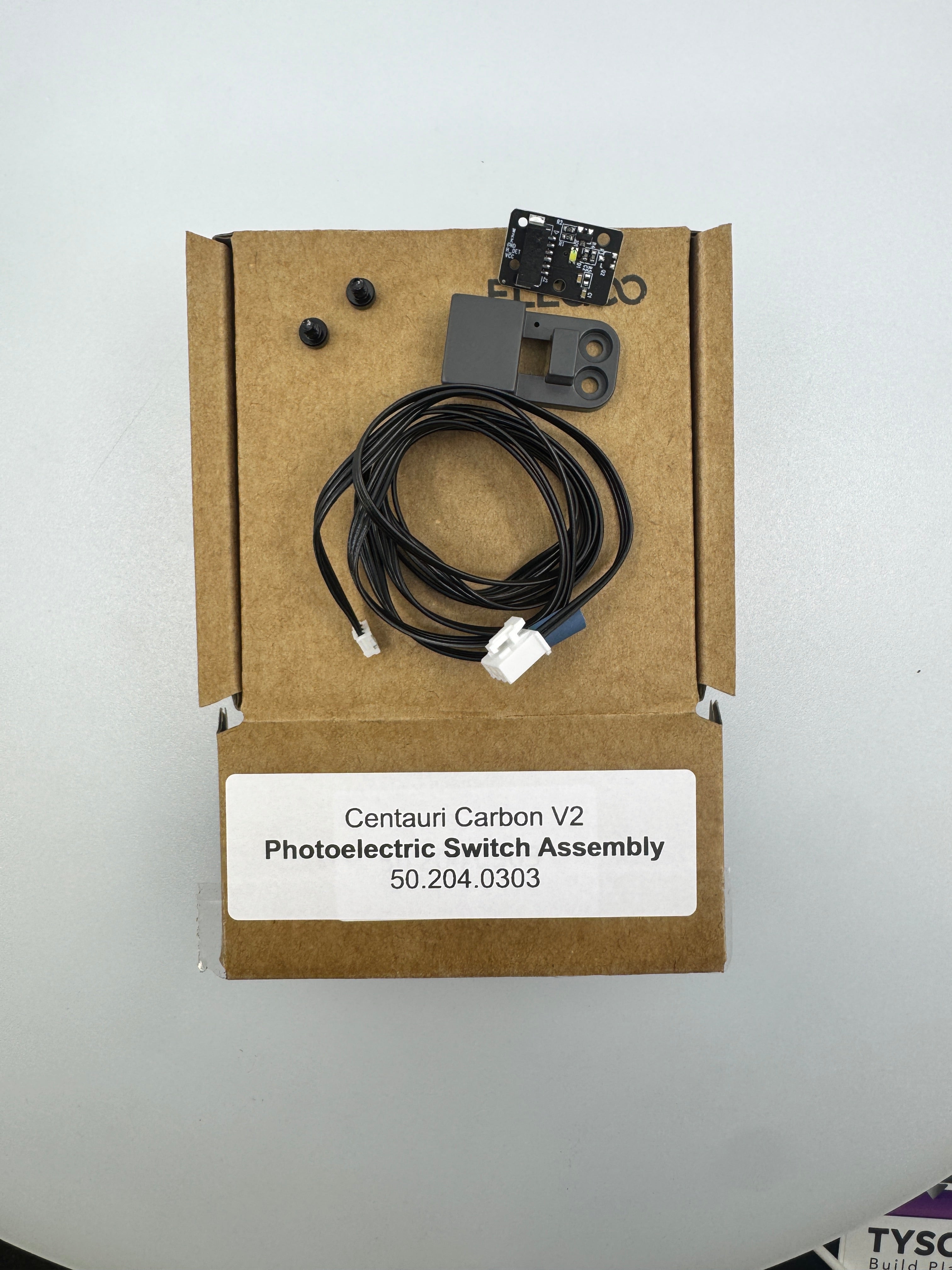

Description
Centauri Carbon 2 Photoelectric Switch Assembly 50.204.0303
The 50.204.0303 is the Z-axis Photoelectric (Optical) Limit Switch Assembly for the Elegoo Centauri Carbon 2.
Unlike traditional mechanical switches that use a physical "click" lever, this assembly uses a beam of light (infrared) to detect when the Z-axis carriage has reached its home or limit position.
Primary Functions
Z-Homing: It tells the printer exactly where the "bottom" or start position of the Z-axis is.
Non-Contact Sensing: Because it uses light, there is no mechanical wear and tear, and it is theoretically more precise and repeatable than a physical switch.
Safety Stop: It prevents the Z-motors from driving the build plate assembly into the bottom frame of the machine, which could damage the lead screws or motors.
Symptoms of Failure
If this photoelectric assembly is dirty or faulty, you may experience:
"Homing Failed" Errors: The printer tries to home but stops and throws an error because the sensor never signaled that it was "triggered."
The "Never-Ending" Motor: The Z-axis hits the bottom of the printer, but the motors keep grinding because the sensor failed to tell them to stop.
False Triggers: The printer stops mid-air during a homing sequence because it "thinks" it reached the bottom (often caused by dust or a loose cable).
Quick Maintenance Checklist
Clear the Path: Since it's optical, a single piece of stray filament or a clump of dust inside the "U" shaped sensor housing can block the light beam. Use a can of compressed air to blow it out.
Check the "Flag": There is a small metal or plastic piece (the "flag") attached to the Z-carriage that passes through the sensor. Ensure this flag isn't bent or misaligned.
Connection: Ensure the small 3-pin or 4-pin connector is seated firmly; vibrations during high-speed printing on the Centauri Carbon can sometimes wiggle these loose.