


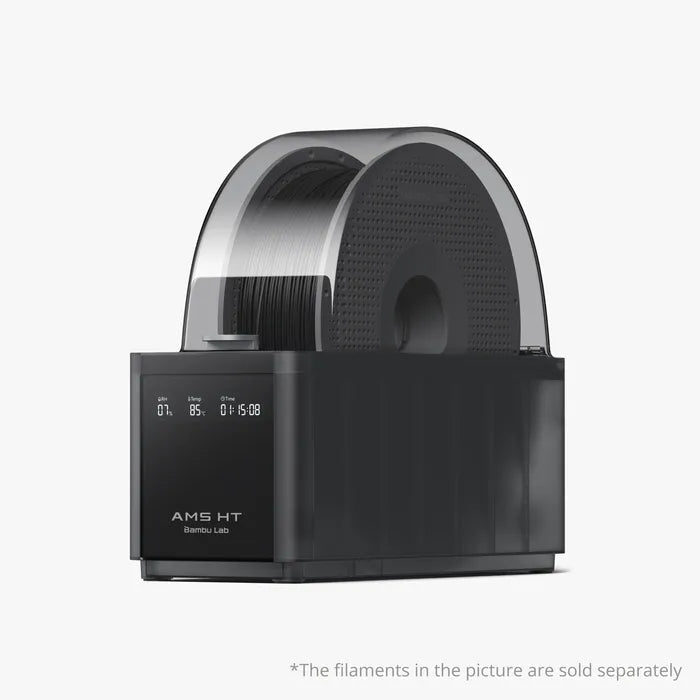
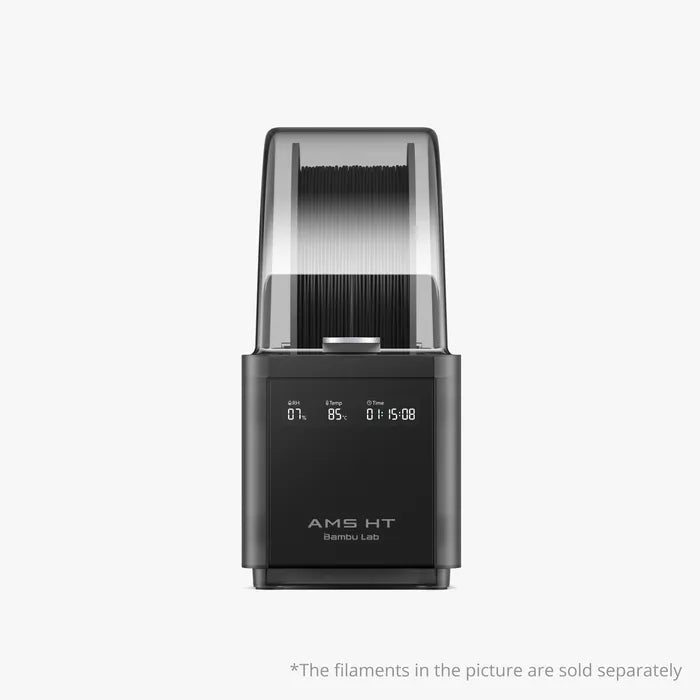


Description
This is the answer many have been waiting for - now you have a dryer that can dry high temperature filaments (85c max drying), and also keeps that filament dry when done!
From Bambu:
Product Features
- Active Air Vent 85°C Filament Drying
- Air-tight Filament Storage
- Up to 24-color/Multi-material Printing
- Brushless Servo Feeding Motor
- RFID Filament Sync
- AMS HT is temporarily not compatible with X1E
Important Notice
For A series owners:
To connect the A series printer to the AMS/ AMS 2 Pro/ AMS HT, an AMS HUB (SA013) accessory is needed.
For X1/P1 series owners:
If only connecting one AMS HT to the printer, the PTFE tube coupler(FAZ006), 4-pin cable(CAB002-N) and Filament Buffer(SA003) are required.
If connecting multiple AMS(including AMS HT, AMS, AMS 2 Pro) , we recommend that you purchase the PTFE tube coupler(FAZ006), 4-pin cable(CAB002-N) and AMS Hub(SA002-N) .
For P2 series owners:
If connect 1 or 2 AMS (including AMS HT, AMS, AMS 2 Pro) to the printer, a Filament Buffer - P2S (SA011) and a Bambu Bus Cable (CAB035) is needed.
To connect more than 2 AMS(including AMS 2 Pro, AMS HT), Filament Buffer - P2S (SA011), a Bambu Bus Cable (CAB035) ,and a 4-in-1 PTFE Adapter (FAZ013-N) is needed.
For H2S owners:
To connect more than one AMS(including AMS 2 Pro, AMS HT), a 4-in-1 PTFE Adapter (FAZ013-N) is needed.
For H2D/H2C owners:
To connect more than 2 AMS(including AMS 2 Pro, AMS HT), a 4-in-1 PTFE Adapter (FAZ013-N) is needed.
Bambu Lab AMS HT
Specialized for
High-Performance Materials
24-Colors/Multi-material
Serial connect up to 4 AMS 2 Pro & 8 AMS HT, total of 24 filaments
Electro-Magnetic Air Vent
Fast filament drying & air-tight filament storage
85°C Drying Temp
Specialized for high-performance filament drying
Brushless Motor
60% faster feeding speed
Engineered To Better Dry & Use High-performance Filaments
High-temp Drying
Drying temperature up to 85°C, optimized for high-temperature materials
Bypass Outlet
Independent filament outlet designed for soft or brittle materials
Dry Filament Quickly and Intelligently
Electro-Magnetic Air Vent
Automated venting facilitates dehumidification during drying and airtight sealing for weeks of quality printing
Auto-rotate Drying
During the drying process, the filament spools rotate automatically to ensure more even drying
RFID Sync
AMS HT uses RFID to auto-match drying settings for Bambu official filaments, no manual input needed
Dry
Moist
Bambu PET-CF
Evolved, Polished Design Details
Ceramic Inlet
Ceramic filament inlets with Vickers hardness of 1200 significantly enhances durability
Over Temperature Protection
Accurate temperature sensor and physical failsafe for safe, precise heating
Status Display
Clear digital display for easy monitoring of drying status
Compatible With All Bambu Lab Printers
The AMS HT will be compatible with all Bambu Lab products.
AMS HT Specs
| Item | Specification | |
|---|---|---|
| Body | Dimensions | 114*280*245 mm³ |
| Net Weight | 1.21 kg | |
| Housing Material | PC/PA | |
| Flame Retardant Grade | UL 94 V-0 | |
| Screen | Supports displaying real-time temperature and humidity, and remaining drying duration. | |
| Printing | Filament Supported | PLA, PETG, ABS, ASA, PET, PA, PC, PVA (dried), BVOH (dried), PP, POM, HIPS, Bambu PLA-CF/PAHT-CF/PETG-CF/Support for PLA/PETG, and TPU for AMS. Bypass Filament Outlet: TPE, generic TPU, Bambu PET-CF/TPU 95A, and other filament that contains carbon fiber or glass fiber. |
| Filament Not Supported | PVA (damp), BVOH (damp) | |
| Filament Diameter | 1.75 mm | |
| Spool Dimension |
Width: 50 mm-68 mm
Diameter: 197 mm-202 mm
|
|
| RFID Identification | Supported | |
| Filament Odometry | Supported | |
| Drying | Maximum Temperature | 85 °C |
| Filament Supported | PLA, PETG, Support for PLA/PETG, ABS, ASA, PET, PA, PC, PVA, BVOH, PP, POM, HIPS, Bambu PLA-CF/ PAHT-CF/ PETG-CF, and TPU for AMS | |
| Active Moisture Discharge | Supported | |
| Rotating Drying Mode | Supported | |
| Sealed Storage | Supported | |
| Top Lid Open Detection | Supported | |
| Temperature and Humidity Detection and Maintenance | Supported. Real-time information can be displayed on the screen, printer UI, Bambu Studio, and Bambu Handy. | |
| Voltage |
DC: 24 V
AC: 100 V–240 V~, 50 Hz/60 Hz
|
|
| Average Power | 150 W | |
What’s in the Box
Bambu AMS HT
Desiccant
PTFE Tube (263mm*2+900mm*1)
Bambu Bus Cable-6Pin
Power Cord (For AMS HT ONLY)
Explore more about AMS HT
1.What is the difference between the two discharge ports on the back of the machine?
The port at the rear of the top cover is specifically for TPU filament. Due to the softness of the TPU filament, it is easy to fail when using the AMS 2 Pro automatic feeding function. When using the TPU, insert it into the AMS HT and ensure the material tray rotates in the correct direction. Insert the material tube into the TPU output port and manually push the filament through the PTFE tube until it is fully loaded into the extruder.
Note:
- 1.When using TPU, AMS HT cannot use the automatic feed and return function, but can be used as a drying box to prevent material moisture.
- 2.AMS HT won't be able to run filament drying while feeding filament and initiating a print via the bypass port.
2.Can the AMS HT be used with the X series and P series printers?
If only connecting one AMS HT to a X or P series printer, the PTFE tube coupler, 4-pin cable and Filament Buffer are required. If connecting multiple AMS HT units, we recommend that you purchase an AMS Hub.
AMS HT compatibility with A1 and A1 mini printers will be added through an OTA update in Q3 2025.
3.Can I print and dry at the same time?
Printing while drying is not yet supported, including all the AMSs that are related to the on-going print job (eg. The AMSs assigned for auto-refill). However, you can dry filament in AMSs that are not assigned to the on-going print job.
4.How many AMS HT units can be connected to the X1 series and P1 series at most?
X1 and P1 series printers support up to 4 AMS HT connections at the same time.
5.Can the AMS HT be directly connected to the printer for drying?
H2D and X/P/A series printers are connected to AMS HT and use drying function. Each AMS HT requires an external 220V power supply for drying It is not supported to draw power from the printer for drying (The power adapter is pre-included with the product package).
6.Does it support standalone drying without connecting to the printer?
When using the AMS HT drying function, the AMS HT must be connected to the printer via a 6-pin bus cable to ensure that the printer is powered on and set to filament drying mode.
The AMS HT cannot perform standalone drying without a connection to the printer.