

Description
Restore reliable filament detection and help prevent failed prints with the genuine Snapmaker U1 Filament Runout Sensor Kit. Designed specifically for the Snapmaker U1 3D printer, this replacement sensor monitors filament feeding status and helps detect issues such as filament runout, depletion, or feeding interruptions.
When a filament issue is detected, the printer can automatically pause the print and preserve its progress, helping reduce wasted filament and failed prints.
Whether you're replacing a damaged sensor, troubleshooting false filament runout alerts, or repairing a faulty filament detection system, this original Snapmaker replacement kit helps keep your Snapmaker U1 operating reliably.
Key Features
-
Genuine Snapmaker Replacement Part: Designed specifically for the Snapmaker U1 3D printer.
-
Real-Time Filament Detection: Monitors filament feeding status to help identify runout, depletion, and potential filament jams.
-
Automatic Print Pausing: Allows the printer to pause when a filament issue is detected, helping prevent failed prints and wasted material.
-
Reliable Printing Performance: Helps maintain proper filament detection during long or unattended print jobs.
-
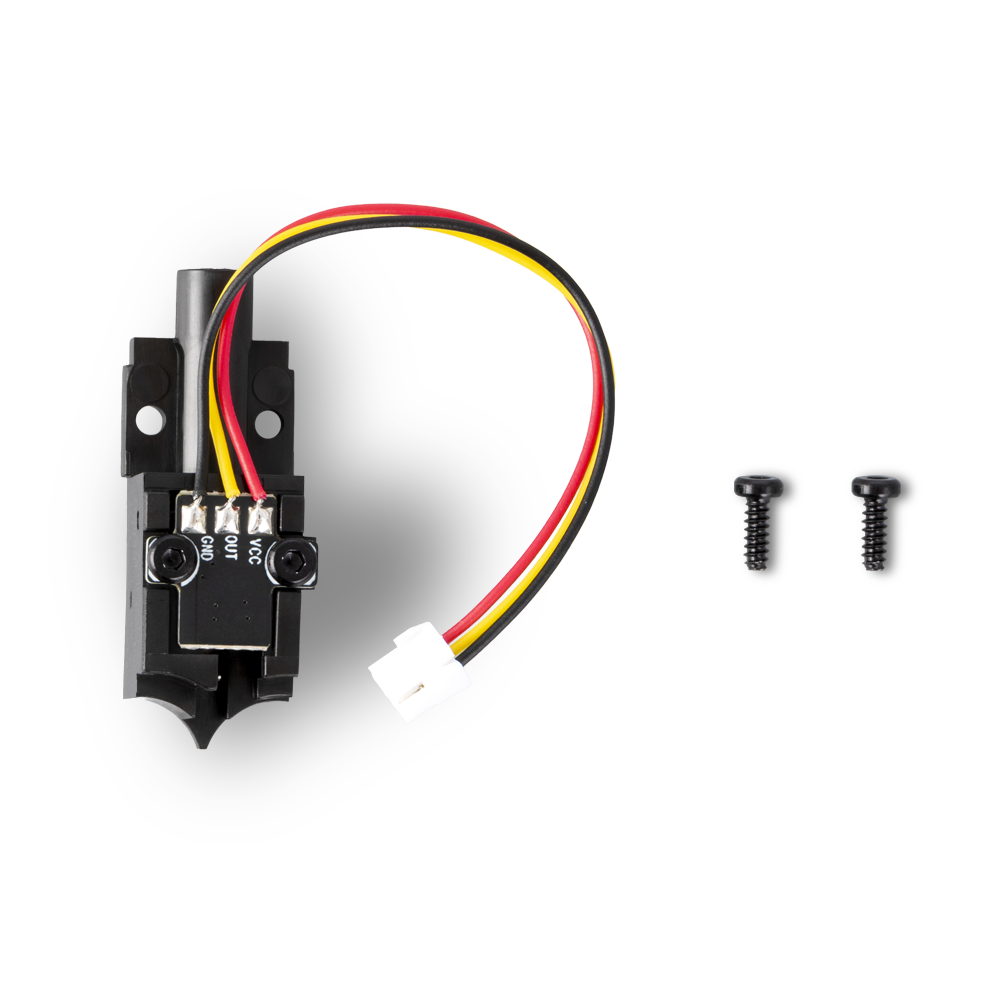
Direct Replacement Design: Includes the sensor module, connecting cable, and mounting screws for replacing the original component.
-
Compact, Lightweight Construction: Designed to fit within the Snapmaker U1 extrusion assembly.
Specifications
-
Manufacturer: Snapmaker
-
Compatibility: Snapmaker U1
-
Product Type: Filament Runout Sensor Kit
-
Manufacturer Part Number: 12035
-
Material: Plastic and Metal
-
Product Weight: 6 g
What's Included
-
1 × Snapmaker U1 Filament Runout Sensor Kit
-
2 × Mounting Screws
Please Note: This product is a replacement filament runout sensor, not a complete extruder or toolhead assembly. Installation requires accessing the extruder assembly. Refer to Snapmaker's official replacement instructions before servicing your printer.